
RIVALS FPS: Online Shooter
A free first-person shooter for the browser: team up with friends, switch weapons, upgrade and fight online across many maps on a computer or phone.
Magbasa pa tungkol sa RIVALS FPS: Online ShooterHigit pang larong Pamamaril
Lahat ng larong Pamamaril Funny Shooter 2Pamamaril
 Brutal Battle Royale 2Pamamaril
 Warfare 1942 - Online ShooterPamamaril
 Brutal ZombiesPamamaril
 Call of Ops 3Pamamaril
 Mazean.comPamamaril
 Courageous SniperPamamaril
 Star WingPamamaril
 Counter Craft 5Pamamaril
 Counter Craft Battle RoyalePamamaril
 Utka ClashPamamaril
 Crazy Goat HunterPamamaril
Tungkol sa RIVALS FPS: Online Shooter
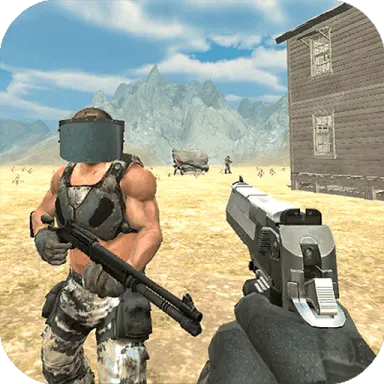
RIVALS FPS: Online Shooter is a free first-person shooter played online against other people. You battle in an arena across a range of maps, team up with friends, switch weapons, upgrade and collect rewards, with leaderboards to chase.
Into the arena
Getting into a game starts with a choice: create a map of your own or join other players. From there you are dropped into online battles in an arena, and you can bring friends along to fight on the same side. The description lists different game modes and plenty of maps, and leaderboards keep track of how players are doing.
Familiar controls on any screen
The how-to-play notes say the controls follow the pattern of many well-known shooters, and the layout bears that out. On a computer you move with WASD, look around with the mouse, jump with Space, crouch with C and press E to interact with objects. On a phone, a virtual joystick on the left handles movement, swiping across the right half of the screen turns the camera, and on-screen buttons take care of jumping and reloading. The notes do not say which button fires, so it is worth finding that out early in your first match.
Weapons, upgrades and rewards
Fighting is only part of it. You can switch weapons, upgrade and collect rewards as you battle, and the game is drawn in bright, colorful 3D. It is free and runs in the browser on a computer or a mobile phone, with nothing to install.
If you are new to online shooters, a few general habits help. Knowing a map well is an advantage in any shooter, so it can pay to stay on one for a while before moving on to the next. When you team up with friends, stick together rather than drifting off alone, and treat the leaderboard as a measure of how you improve over time rather than a verdict on a single match.
- Mga kontrol
- On a computer, WASD moves you, the mouse turns the camera, Space jumps, C crouches and E interacts with objects. On a phone, a virtual joystick on the left moves you, swipes on the right side turn the camera, and on-screen buttons jump and reload.
- Kategorya
- Pamamaril
- Tag
- First person shooter
- Oryentasyon
- pahiga
Mga madalas itanong
- How do you get into a match?
- You can create a map of your own or join other players.
- Can you play alongside friends?
- Yes. The game supports online play with friends, and you can team up with them in battles.
- Does it run on a phone?
- Yes. It plays in the browser on a mobile phone or a computer, and on a phone you use a virtual joystick, swipes and on-screen buttons.